AWS CloudFormation : provision all your cloud infrastructure
My name is Hamza Rehman. I'm a passionate DevOps enthusiast. With a deep interest in open-source technologies and automation, I enjoys to share my knowledge and insights with the community.
Infrastructure as Code (IaC) is a practice that enables the management and provisioning of computing infrastructure through machine-readable configuration files. AWS CloudFormation is a service that provides a common language for you to describe and provision all the infrastructure resources in your cloud environment.
What is Infrastructure as Code (IaC)?
IaC allows you to define your infrastructure using code, making it easier to automate, replicate, and manage your infrastructure. Instead of manually configuring resources through a web console, you write templates that define your resources and their configurations.
Benefits of IaC:
Consistency: Ensures that the same configuration is applied every time, reducing the risk of human error.
Version Control: Templates can be version-controlled, allowing you to track changes and roll back if needed.
Automation: Automate the provisioning and management of infrastructure, saving time and effort.
Scalability: Easily replicate infrastructure in different environments, such as development, staging, and production.
What is AWS CloudFormation?
AWS CloudFormation is an IaC service that allows you to define your AWS infrastructure in JSON or YAML templates. With these templates, you can provision and manage a collection of related AWS resources, such as EC2 instances, S3 buckets, VPCs, and more, in an orderly and predictable fashion.
Key Components of AWS CloudFormation:
Templates: JSON or YAML files that define the AWS resources you want to provision.
Stacks: A collection of AWS resources that you manage as a single unit. You create, update, and delete a collection of resources by creating, updating, and deleting stacks.
StackSets: Allows you to manage stacks across multiple AWS accounts and regions.
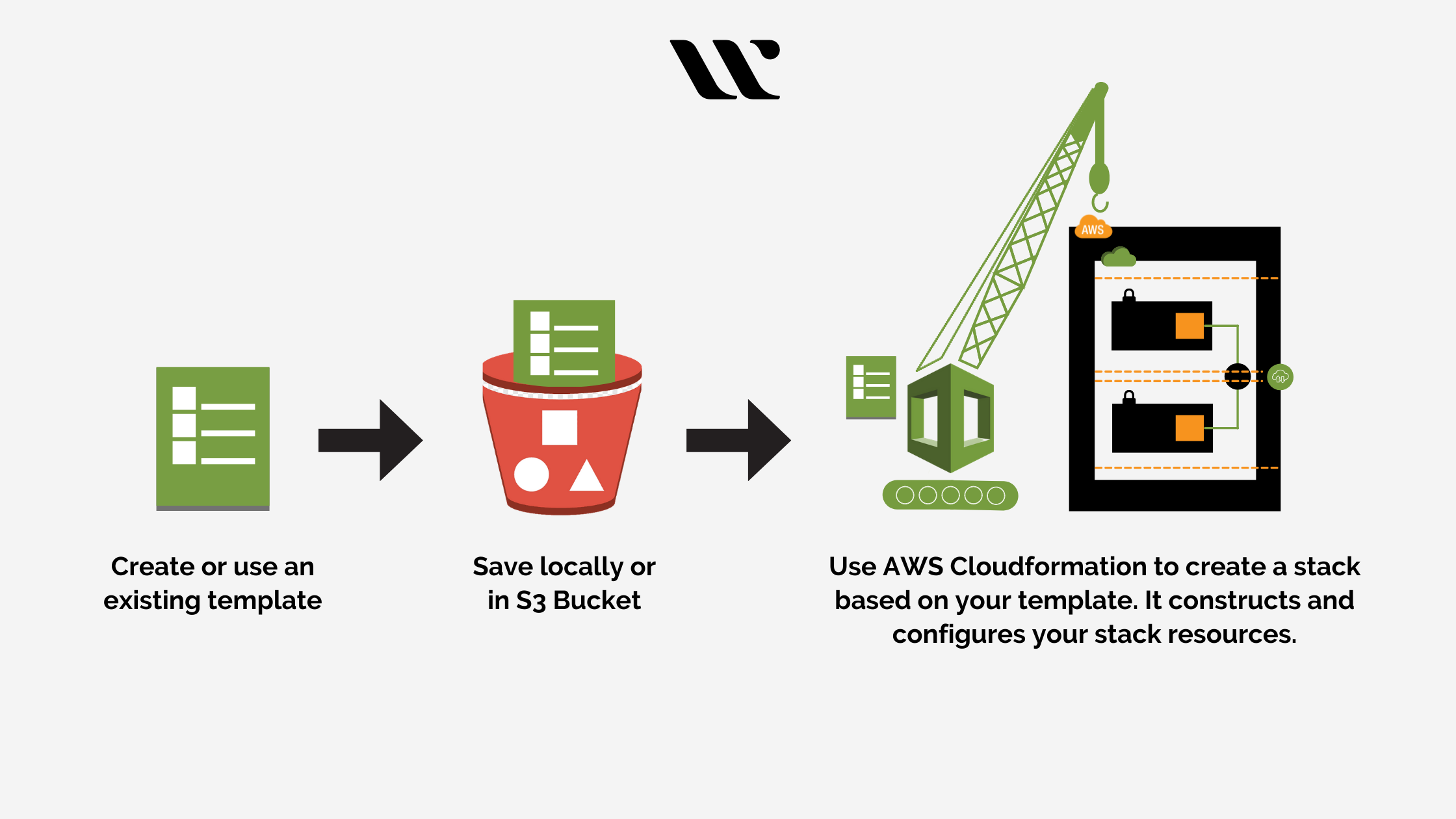
How AWS CloudFormation Works
Create a Template: Write a JSON or YAML file that defines the AWS resources and their configurations.
Create a Stack: Use the template to create a stack, which provisions the defined resources.
Manage the Stack: Update or delete the stack as needed. CloudFormation handles the dependencies and updates resources accordingly.
AWS CloudFormation Template Structure
A CloudFormation template consists of several sections, but only the Resources section is mandatory. Here are the main sections:
AWSTemplateFormatVersion: (Optional) The version of the CloudFormation template format.
Description: (Optional) A text string that describes the template.
Metadata: (Optional) JSON or YAML object that provides additional information about the template.
Parameters: (Optional) Values that you can pass to your template at runtime to customize resource configurations.
Mappings: (Optional) A mapping of keys and associated values that you can use to specify conditional parameters.
Conditions: (Optional) Conditions that control whether certain resources are created or whether certain properties are assigned a value during stack creation or update.
Resources: (Required) The AWS resources that you want to include in the stack.
Outputs: (Optional) Values that are returned whenever you view your stack's properties.
Example Template
Here's a simple example of a CloudFormation template in YAML format that provisions an S3 bucket and an EC2 instance.
AWSTemplateFormatVersion: '2010-09-09'
Description: Simple CloudFormation Template to create an S3 bucket and an EC2 instance.

Resources:
  MyS3Bucket:
    Type: 'AWS::S3::Bucket'
    Properties:
      BucketName: 'my-cloudformation-bucket'

  MyEC2Instance:
    Type: 'AWS::EC2::Instance'
    Properties:
      InstanceType: 't2.micro'
      ImageId: 'ami-0c55b159cbfafe1f0'  # Replace with a valid AMI ID for your region
      KeyName: 'my-key-pair'            # Replace with your key pair name
      SecurityGroups:
        - !Ref MySecurityGroup

  MySecurityGroup:
    Type: 'AWS::EC2::SecurityGroup'
    Properties:
      GroupDescription: 'Enable SSH access'
      SecurityGroupIngress:
        - IpProtocol: 'tcp'
          FromPort: '22'
          ToPort: '22'
          CidrIp: '0.0.0.0/0'
Conclusion
AWS CloudFormation is a powerful tool for managing your AWS infrastructure as code. By using CloudFormation templates, you can automate the provisioning and management of your AWS resources, ensuring consistency, scalability, and repeatability. Whether you are deploying simple resources or complex infrastructures, CloudFormation provides a robust framework to manage your cloud environments effectively.
