AWS CloudWatch: A Comprehensive Guide
My name is Hamza Rehman. I'm a passionate DevOps enthusiast. With a deep interest in open-source technologies and automation, I enjoys to share my knowledge and insights with the community.
Amazon CloudWatch is a powerful monitoring and management service built for developers, system operators, site reliability engineers (SREs), and IT managers. It provides data and actionable insights to monitor your applications, understand and respond to system-wide performance changes, optimize resource utilization, and get a unified view of operational health.
What is AWS CloudWatch?
AWS CloudWatch is a monitoring and observability service that provides you with data and insights to monitor your applications, respond to system-wide performance changes, and optimize resource utilization. It collects and tracks metrics, collects and monitors log files, sets alarms, and automatically reacts to changes in your AWS resources.
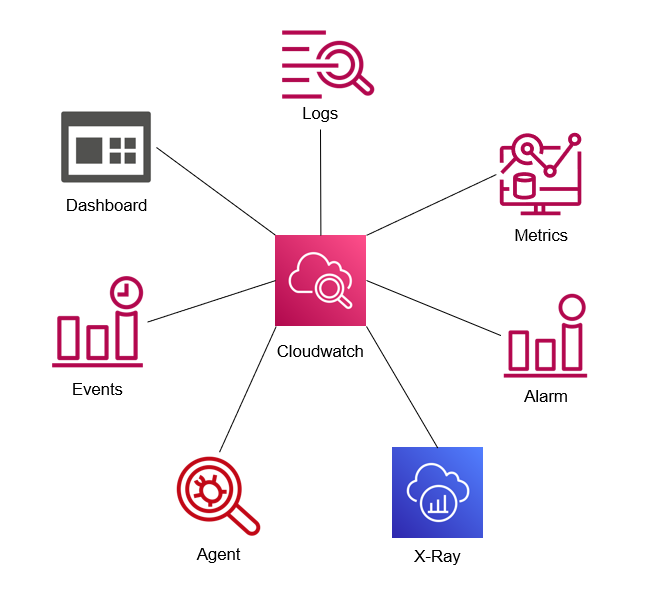
Key Features of AWS CloudWatch
1. Metrics and Alarms
CloudWatch collects and tracks metrics for your AWS resources and applications. You can set alarms to monitor these metrics and automatically send notifications or take actions based on specified thresholds.
2. Logs
CloudWatch Logs allows you to collect, monitor, and store logs from your applications, AWS services, and on-premises resources. You can search and filter the log data to troubleshoot issues and gain insights into your applications.
3. Events
CloudWatch Events delivers a near real-time stream of system events that describe changes in AWS resources. You can set up rules to match events and route them to one or more target functions or services for processing.
4. Dashboards
CloudWatch Dashboards enable you to create customizable, reusable charts and visualizations of your AWS resources and application metrics. This provides you with a unified view of operational health and performance.
5. Service Lens
Service Lens is a feature of CloudWatch that provides end-to-end observability for your applications. It integrates metrics, logs, and traces to help you visualize and analyze the health and performance of your applications.
6. Synthetics
CloudWatch Synthetics allows you to create canaries, which are configurable scripts that run 24/7 to monitor your endpoints and APIs. This helps you to ensure that your application is behaving as expected.
7. Application Insights
Application Insights for CloudWatch automatically detects common problems with your applications, such as memory leaks, and provides insights into their root causes.

Conclusion
AWS CloudWatch is a versatile and powerful monitoring service that provides deep visibility into your AWS resources and applications. By leveraging CloudWatch’s metrics, logs, alarms, dashboards, and advanced features, you can ensure the reliability, performance, and security of your applications. Whether you are managing a small application or a large-scale infrastructure, CloudWatch provides the tools and insights you need to maintain optimal operational health.
