Introduction to AWS Systems Manager
My name is Hamza Rehman. I'm a passionate DevOps enthusiast. With a deep interest in open-source technologies and automation, I enjoys to share my knowledge and insights with the community.
AWS Systems Manager is a powerful service from Amazon Web Services (AWS) that simplifies the management of your cloud resources and on-premises servers.
What is AWS Systems Manager?
AWS Systems Manager is like a control center that helps you manage your AWS resources and servers. Whether you are a tech expert or just getting started, Systems Manager offers tools that make it easier to automate tasks, keep systems secure, and ensure everything runs smoothly.
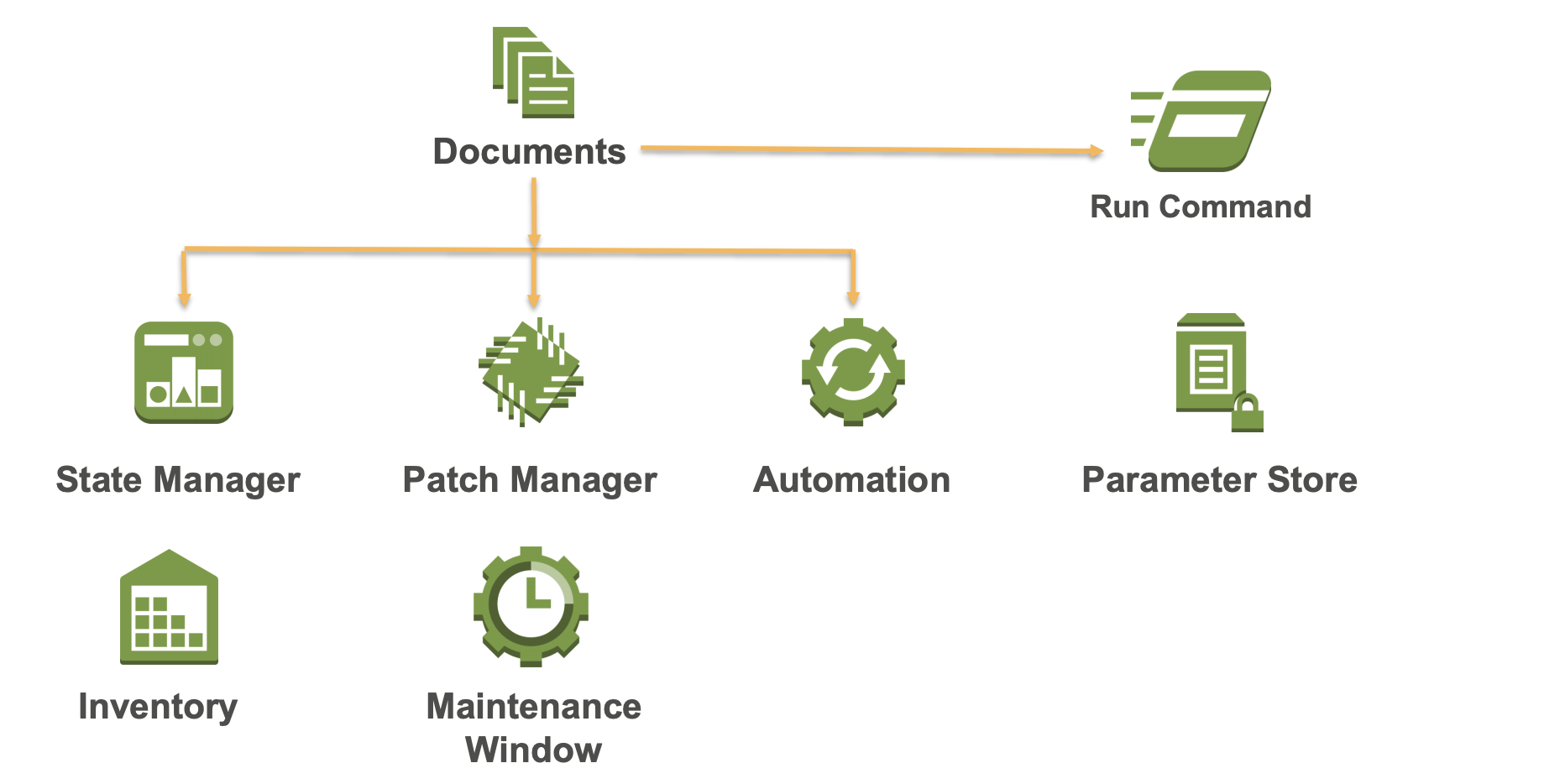
Key Features of AWS Systems Manager
1. Operational Insights
AWS Systems Manager provides a dashboard where you can view and manage all your resources. This helps you quickly identify and resolve any issues that arise, much like a central command center.
2. Automation
You can automate repetitive tasks using Systems Manager, reducing the need for manual work and minimizing errors. This makes your operations more efficient and reliable, similar to having an assistant that handles routine tasks for you.
3. Patch Management
Systems Manager keeps your servers up-to-date with the latest security patches automatically, ensuring your systems are always secure. Think of it as an automatic update system that keeps your servers protected.
4. Configuration Management
It helps you maintain consistent settings across your servers, making sure they all adhere to your security and operational policies. This is like setting rules that all your servers must follow to ensure they are properly configured.
5. Compliance and Auditing
Systems Manager provides tools to ensure your servers comply with industry standards and regulatory requirements, helping you pass audits easily. This feature ensures your infrastructure meets all necessary rules and regulations.
6. Run Command
This feature lets you run commands on your servers remotely and securely, making it easy to manage them without needing physical access. Imagine being able to control your servers from anywhere without needing to be physically present.
7. Parameter Store
Parameter Store is a secure place to store configuration data and sensitive information like passwords, allowing your applications to retrieve these values safely. It acts like a secure vault for important settings and secrets.
8. Session Manager
Session Manager enables secure, remote connections to your servers without needing SSH keys or special network configurations. This makes remote management both secure and straightforward, allowing you to access your servers easily.
9. Inventory
Systems Manager collects data from your servers, giving you insights into your infrastructure and helping you manage it more effectively. It’s like having a detailed list of what’s on your servers and how they’re set up.
10. State Manager
State Manager ensures your servers always meet your desired configurations, automatically correcting any deviations to maintain compliance. This feature makes sure your servers stay in the correct state as per your requirements.
Conclusion
AWS Systems Manager is a powerful tool that simplifies the management of your AWS resources and on-premises servers. Whether you're an IT professional looking for advanced management capabilities or a non-IT user needing simplified, automated solutions, Systems Manager provides the features and benefits you need. By offering tools for operational insights, automation, security, and compliance, Systems Manager helps you maintain an efficient, secure, and compliant infrastructure.
